
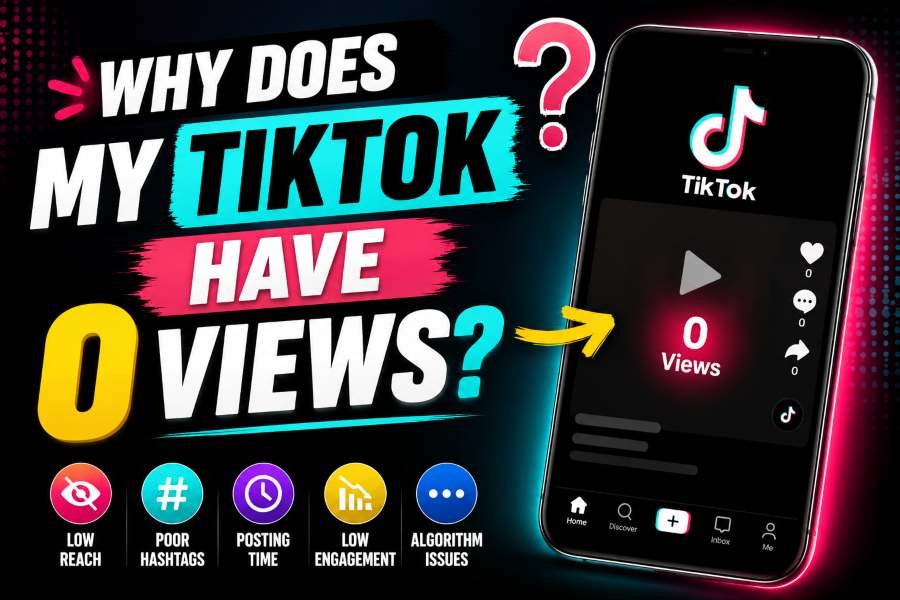
Why Does My TikTok Have 0 Views? A TikTok video can stay at 0 views because it is still processing or under review, its audience is set to Only you or Friends, the account or post has a restriction, the upload failed, or the app has a temporary technical problem. Check privacy and account status before assuming you are shadowbanned.
In This Guide
- What 0 Views Usually Means
- 1. The Video Is Still Processing or Under Review
- 2. The Post Privacy Setting Is Too Limited
- 3. Your Account or Post Has a Restriction
- 4. The Upload Did Not Complete Correctly
- 5. The Content Is Reused, Low Quality, or Looks Like Spam
- 6. Copyright or Community Guidelines Issues
- 7. A New Account Has Very Little Distribution History
- 8. The View Counter Has Not Updated Yet
- A Safe Troubleshooting Order
- How to Improve Distribution After the Technical Problem Is Fixed
- What Not to Do
- How to Test Whether the Problem Is Account-Wide
- Final Answer
What 0 Views Usually Means
When a TikTok post shows exactly 0 views, the problem is often different from a video that received 50 or 100 views and then stopped. Zero can mean the post has not entered normal distribution at all. It may still be processing, waiting for a safety review, restricted by privacy settings, affected by an account issue, or failing to register views because of an app or network problem.
A low view count does not automatically mean TikTok has secretly blocked your account. The word shadowban is used widely online, but it is not a useful first diagnosis. TikTok provides account status, recommendation eligibility notices, post privacy settings, analytics, and appeal options. Check those visible signals before relying on rumors.
Start with the simple possibilities. Confirm the post is visible from another account, check the selected audience, wait for processing to finish, and look for a notice on the post or in your inbox.
1. The Video Is Still Processing or Under Review
TikTok may review content when it is uploaded, when it receives reports, or when automated systems detect a possible policy issue. A post under review may not be distributed normally. During this period, the view count can remain at zero even though the upload appears on your profile.
Do not delete the post immediately. Give TikTok time to complete processing, especially after a large upload, an unstable connection, or a video with copyrighted audio, text, sensitive topics, or fast edits. Check the post for a processing message and review your TikTok inbox for a notification.
If the content is later marked as violating a rule or ineligible for recommendation, read the reason carefully. Use the official appeal option when you believe the decision is incorrect. Deleting a post during an appeal can prevent restoration.
2. The Post Privacy Setting Is Too Limited
TikTok lets you choose who can view an individual post. Depending on your age, account type, and privacy settings, the audience may be Everyone, Friends, Followers, or Only you. A video set to Only you will not collect public views. A Friends-only video can remain at zero if none of your mutual connections has watched it.
Open the post, tap the options button, choose Privacy settings, and check Who can watch this video or the current audience setting. Change it to Everyone only if you want public distribution and your account is eligible to use that option.
Also check whether the entire account is private. Private accounts limit posts to approved followers, which can greatly reduce the first audience. Privacy is not a penalty; it is a visibility choice. Use the setting that matches your safety needs.
3. Your Account or Post Has a Restriction
TikTok has an Account check feature in TikTok Studio and the Safety Center. It can show warnings related to login, posting, comments, profile editing, direct messages, or specific posts. If your uploads repeatedly receive zero views, account status is one of the first places to look.
Open Profile, tap the menu, and enter TikTok Studio. Under More tools, open Account check. You can also go through Settings and privacy, Support, Safety Center, and Account check. A checkmark indicates no detected issue; a warning icon provides more detail.
An account can also become ineligible for recommendation if it repeatedly posts content TikTok considers unsuitable for the For You feed. TikTok provides a notice and an appeal path. Review the listed videos instead of guessing.
4. The Upload Did Not Complete Correctly
A weak connection can create a post that looks published on your device but is not fully available to other users. Test the video from a second account or a logged-out view. If it is missing, frozen, or unavailable, the upload may have failed.
Switch between Wi-Fi and mobile data, restart the app, and check whether TikTok has an outage. Update the app from the official store. Clear TikTok cache from Settings and privacy if the app is behaving inconsistently. Avoid clearing app data or reinstalling until drafts are backed up because drafts are usually stored on the device.
If the file is unusually large, exported with an uncommon codec, corrupted, or missing audio, export a fresh copy using a standard vertical format and upload it again after confirming the first post is not under review.
5. The Content Is Reused, Low Quality, or Looks Like Spam
TikTok may reduce recommendation eligibility for unoriginal, low-quality, deceptive, or spam-like content. Reposted clips with visible watermarks, repeated uploads of the same video, slideshows with little original value, misleading engagement requests, and automated bulk posting can all create problems.
This does not mean every reused clip receives zero views. It means the content has a higher chance of being held, reviewed, or distributed poorly. Add original commentary, editing, context, narration, or creative value. Use clear video and audio. Remove watermarks from other platforms only when you own the material and have the right to republish it.
Avoid uploading the same file repeatedly within a short period. Constant delete-and-repost behavior can look like spam and makes it harder to identify the real cause.
6. Copyright or Community Guidelines Issues
A video may be limited or removed because of copyrighted music, copied footage, dangerous acts, harassment, adult content, regulated goods, misinformation, or another policy concern. Sometimes the app displays a clear notice; other times the post remains under review while a decision is made.
Use audio available inside TikTok when possible, especially for business accounts that may have a different music library. Make sure you own or have permission to use video clips, images, voice recordings, and music. A disclaimer such as no copyright intended does not create permission.
When TikTok provides a violation notice, open the details and decide whether to appeal. Do not try to bypass enforcement by slightly editing and immediately reposting the same prohibited material.
7. A New Account Has Very Little Distribution History
New accounts can receive views, but TikTok has less information about the account, its audience, and its normal behavior. A new profile that immediately posts many similar videos, follows hundreds of accounts, changes devices repeatedly, or uses automation may trigger security and spam systems.
Complete the profile normally, verify contact information, watch content, interact genuinely, and post at a reasonable pace. Do not buy followers or use engagement exchanges. These services can create fake activity and increase account risk without building a real audience.
If one first post has zero views, focus on the technical and privacy checks. If every post has zero views for several days, review account status and report the problem through TikTok support.
8. The View Counter Has Not Updated Yet
View counters can lag. Your own view may not be counted in the way you expect, and analytics can update at a different speed from the public counter. Ask a trusted person to open the post from another account and watch it normally. Then wait and refresh later.
Do not repeatedly play your own video to force the counter. TikTok filters invalid or artificial activity. A delayed counter is usually temporary and does not require deleting the post.
If comments, likes, or shares appear while the public view count remains zero, the display may be delayed. Capture a screenshot and report it if the mismatch continues.
A Safe Troubleshooting Order
First, wait long enough for processing to finish. Second, open the post privacy settings and confirm the intended audience. Third, view the post from another account. Fourth, check Account check and your inbox for review or recommendation notices. Fifth, update TikTok, test the connection, and clear cache.
Next, review the actual video. Confirm that it is original, clear, complete, and consistent with Community Guidelines. Check the sound and any reused footage. If the video is still at zero after the account and app checks, use Settings and privacy, Report a problem, and follow the prompts for posts not getting views.
Provide useful details in a report: username, post link, upload time, device, app version, screenshots, and the steps you already tried. Clear information makes the problem easier to investigate.
How to Improve Distribution After the Technical Problem Is Fixed
Once the video is eligible for normal distribution, content quality determines whether people keep watching. Make the first second understandable. Show the result, conflict, question, or visual change quickly. Avoid long logo animations and empty introductions.
Use readable on-screen text and accurate captions. Choose a clear topic instead of combining unrelated ideas. Relevant keywords in speech, text, and the caption help TikTok understand the subject. Use a few specific hashtags rather than filling the caption with broad tags such as #fyp.
Edit for retention. Remove pauses, repeat the strongest visual when useful, and end without unnecessary dead time. Invite a real response with a useful question, not engagement bait. Study analytics to compare average watch time, completion, traffic source, and audience response across multiple posts.
What Not to Do
Do not buy views, use view bots, join mass engagement groups, or give your password to a growth service. Artificial activity can be filtered and may expose the account to theft or enforcement. Do not upload the same video ten times in an hour. Do not assume every low-performing video proves a hidden penalty.
Avoid changing every setting at once. Use a step-by-step process so you know what solved the issue. Keep screenshots of account warnings and appeal decisions. Save original video files outside TikTok before reinstalling the app or clearing device data.
Most importantly, separate a technical zero-view problem from a normal performance problem. A video that receives some views but fails to grow needs content analysis. A video that remains at exactly zero needs privacy, processing, status, and app checks first.
How to Test Whether the Problem Is Account-Wide
A simple comparison can show whether the issue belongs to one post or the whole account. Open several older public posts from a second account and confirm that they load. Then upload one short, original test video with clear audio, no reused clips, no external watermark, and a normal public audience. Do not include sensitive topics, copyrighted music from outside TikTok, or aggressive engagement requests.
If the test post receives views while the original remains at zero, the problem is probably connected to that specific upload, its privacy setting, file, sound, or review status. If every new public post stays at zero and Account check shows a warning, follow the warning and appeal path. If every post stays at zero but no warning appears, document the issue and report it through support.
Do not run this test repeatedly. One clean upload is enough. Multiple nearly identical tests can create more noise and may look automated. Keep the original files and screenshots, note the exact upload times, and compare the result after several hours. This controlled approach is more useful than changing captions, hashtags, devices, and privacy settings all at once.
Also compare the public counter with analytics after the data has had time to update. If analytics records impressions or watch time while the profile still shows zero, the issue may be display-related rather than distribution-related.
Final Answer
If your TikTok has 0 views, check whether the post is still processing, under review, set to a limited audience, affected by an account restriction, or incomplete because of a technical problem. Use TikTok’s official Account check, privacy settings, recommendation notices, analytics, and Report a problem tools.
Wait before deleting, confirm the post from another account, and avoid spammy reposting. After the technical issue is resolved, improve the first-second hook, originality, clarity, and retention. Zero views is a signal to troubleshoot, not proof that your account is permanently blocked.
Frequently Asked Questions
How long should I wait when a TikTok has 0 views?
Wait at least long enough for processing and review to finish. A short delay can be normal. If the post remains at zero for many hours, complete the privacy, status, and technical checks.
Does 0 views mean I am shadowbanned?
Not necessarily. A privacy setting, review, upload problem, counter delay, or account warning is more useful to check first.
Should I delete and repost the video?
Do not delete immediately, especially if the post is under review or appealed. Repost only after you confirm a technical failure and prepare a clean, original export.
Where is TikTok Account check?
Open Profile, Menu, TikTok Studio, More tools, Account check. It is also available through Settings and privacy, Support, Safety Center.
Can a private account get views?
Yes, but only from the audience allowed by the account and post settings, which is much smaller than public distribution.
How do I report the problem?
Go to Profile, Menu, Settings and privacy, Report a problem. Include the post link, screenshots, device, app version, and troubleshooting steps.
Official Sources and Further Reading
Platform features and menu labels can change. The following official resources were used to verify the core guidance in this article:
- TikTok Support – Post privacy settings
- TikTok Support – Account status
- TikTok Support – Content violations and bans
- TikTok Support – Why is my account not being recommended?
- TikTok Support – Report a problem
Editorial note: This article provides general platform guidance and does not promise access to private, deleted, restricted, or protected content. Always follow platform rules and applicable law.