
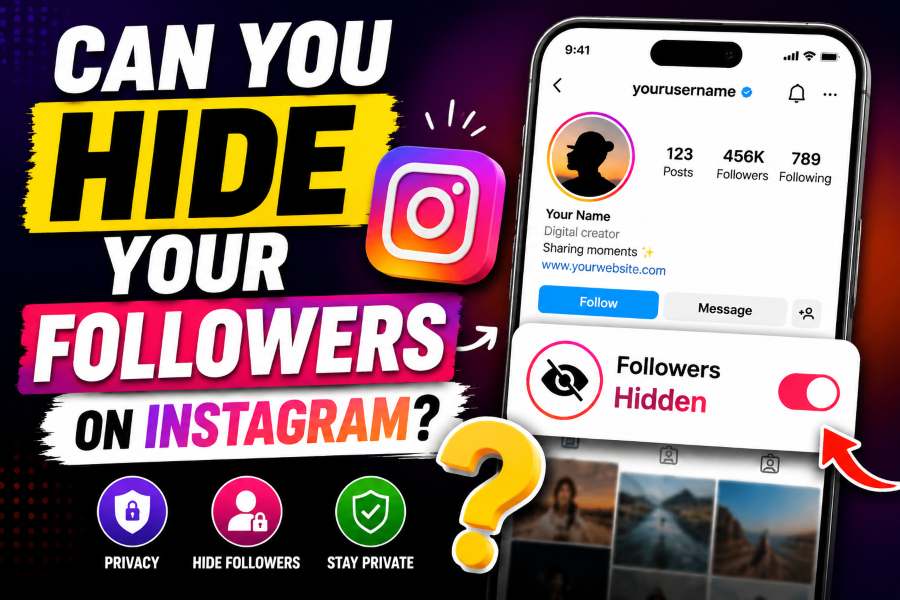
Can You Hide Your Followers on Instagram? Instagram does not offer a setting that hides your full followers or following list from approved followers. A private account hides those lists from people you have not approved. You can also remove, restrict, or block specific people, but each option works differently.
In This Guide
- The Direct Answer
- What People Can See on Public and Private Accounts
- How to Make Your Instagram Account Private
- How to Remove a Follower Without Blocking Them
- Use Blocking When One Person Must Not See Your Connections
- What Restrict Does and Does Not Do
- Other Privacy Settings Worth Reviewing
- Common Myths About Hiding Instagram Followers
- Best Privacy Setup for Different Goals
- Step-by-Step Privacy Checklist
- Privacy for Creators, Families, and Couples
- Final Answer
The Direct Answer
Can you hide your followers on Instagram? Not completely. Instagram currently does not provide a switch that makes your followers list invisible to everyone while your account remains active. If your account is public, anyone who can open your profile can usually tap Followers or Following and browse those lists. If your personal account is private, people who are not approved followers must send a follow request before they can see your posts, followers, or following list.
The important limitation is that approved followers can still see the list. Making an account private changes who gets access, but it does not let you approve someone to see your posts while separately hiding the people you follow. Instagram treats profile access, posts, and follower information as part of the same private-account relationship.
That means the best solution depends on your real goal. You may want to hide your social circle from strangers, stop one person from checking your connections, reduce unwanted attention, or keep a professional account public while protecting personal relationships. Each goal requires a different privacy tool.
What People Can See on Public and Private Accounts
On a public personal account, your posts and reels can be viewed by anyone, and your followers and following lists are generally available from your profile. A person does not need to follow you first. Public accounts are useful for creators and people who want discovery, but they provide the least control over who can inspect account connections.
On a private personal account, only approved followers can see your posts and follower relationships. People who have not been approved can still see basic profile information such as your username, profile photo, name, bio, and follower counts. They may see that you have a certain number of followers, but they cannot open the complete list until you approve them.
Professional accounts need special attention. Instagram states that professional accounts cannot be private. If you use a business or creator account and want the strongest follower-list privacy available, you may need to switch back to a personal account and then enable Private account. Switching account type can affect professional tools, insights, contact options, and other business features, so review those tradeoffs before changing.
How to Make Your Instagram Account Private
Making your account private is the most effective way to hide your followers from people you have not approved. In the Instagram app, open your profile, tap the menu in the top-right corner, choose Settings and activity or Settings and privacy, open Account privacy, and turn on Private account. Instagram may ask you to confirm the change.
After the account becomes private, new people must request permission to follow you. You can approve or delete each request. Existing followers remain approved, so making the account private does not remove people who already follow you. Review your followers list immediately after changing the setting if you are concerned about specific accounts.
If the Private account option is missing, check whether you are using a professional account. Business and creator accounts are designed for public presence. Switch to a personal account from the account-type settings if privacy is more important than professional insights and promotional features.
How to Remove a Follower Without Blocking Them
A private account gives you the option to remove a follower quietly. Go to your profile, open Followers, find the person, and tap Remove. Instagram does not normally notify the person that you removed them. However, they may notice later if your posts disappear from their feed or if your profile shows a Follow button again.
Removing is useful when you no longer want someone to see your posts or followers list but do not want the stronger effect of blocking. Because your account is private, the removed person must send another request before regaining access. You can ignore or delete that request.
On a public account, removing someone does not meaningfully restrict access because the person can still visit the profile and see public information. If you need to prevent a specific person from viewing a public account, blocking is the more reliable option.
Use Blocking When One Person Must Not See Your Connections
Blocking is the closest Instagram offers to hiding your followers from one specific account. A blocked account cannot normally find your profile, open your posts, view your follower list, or interact with you from that account. Depending on the option Instagram presents, you may also be able to block other accounts that person has or may create.
To block someone, open the person’s profile, tap the options menu, choose Block, and confirm. Instagram does not send a direct notification, but the person may realize they were blocked if they search for your username or open an old conversation.
Blocking should be used when you need a clear boundary. It is stronger than removing or restricting. Remember that a determined person may still see information through another account, a logged-out browser, or a mutual friend if your profile remains public. For the strongest practical protection, combine blocking with a private account and a careful follower review.
What Restrict Does and Does Not Do
Restrict is often confused with a privacy setting, but it does not hide your followers. Restrict mainly limits how another person’s comments and messages reach you. Their new comments may be visible only to them unless you approve the comment, and their messages can move to Message Requests. They also may not see when you are active or when you read a message.
A restricted person can still open your profile according to your normal account privacy. If they are an approved follower on a private account, they can still see your posts and follower relationships. Use Restrict when the problem is unwanted interaction, not when the goal is hiding your social graph.
For follower privacy, the useful choices are private account, remove follower, or block. Restrict can be added for interaction control, but it is not a substitute for those measures.
Other Privacy Settings Worth Reviewing
Follower-list privacy is only one part of Instagram safety. Review Story controls so you can hide stories from selected people or share sensitive updates only with Close Friends. Check Mentions and Tags to limit who can mention your username, tag you in photos, or add content to your profile. Turn on manual tag approval if you want to review tagged posts before they appear.
You can also manage Activity Status, message requests, comments, hidden words, and account suggestions. Turning off Activity Status prevents other accounts from seeing when you are active, although you will also lose access to their activity status. Hidden Words and comment controls reduce spam and abusive interactions.
These settings do not hide your followers list, but together they create a more private account. Privacy works best as a set of layers instead of one switch.
Common Myths About Hiding Instagram Followers
One myth is that switching to a creator account unlocks a hidden-follower feature. It does not. Professional accounts are public and cannot be made private while they remain professional. Another myth is that hiding likes, turning off Activity Status, or restricting an account automatically hides followers. Those settings control different parts of the app.
Third-party apps that promise to hide followers should be treated carefully. An outside app cannot add a privacy feature that Instagram itself does not offer. Apps that request your password, session cookie, backup codes, or unusual account permissions can put your account at risk. Use only official Instagram settings and revoke access from services you no longer trust.
Another common claim is that you can hide followers by temporarily deactivating and reactivating the account. Deactivation hides the entire profile while it is inactive; it is not a selective follower privacy method.
Best Privacy Setup for Different Goals
If your goal is to hide your follower list from strangers, use a private personal account. If your goal is to hide it from one approved follower, remove that person and keep the account private. If you need to prevent one person from accessing the profile, block the account and consider blocking related accounts. If you need public reach for work, keep a separate professional account and use a private personal account for friends and family.
For parents and younger users, regularly review followers and incoming requests. Approve only people you recognize, and discuss why follower counts and mutual connections can reveal personal relationships. For creators, avoid exposing personal accounts through contact details or cross-posting unless that connection is intentional.
The most reliable privacy decision is to separate audiences. A public creator profile and a private personal profile give you more control than trying to make one account serve both purposes.
Step-by-Step Privacy Checklist
Start by deciding whether your account must remain public. If not, switch to a personal account and enable Private account. Next, open Followers and remove people you no longer trust. Review pending follow requests one by one instead of approving large groups automatically.
Block accounts that should not be able to find or contact you. Then review Story privacy, Close Friends, Tags and Mentions, Activity Status, Comments, Hidden Words, and Message Requests. Check Accounts Center for connected profiles and remove old third-party app access.
Finally, view your profile from another account or ask a trusted friend who does not follow you to check what is visible. This practical test helps you confirm that your settings match your expectations.
Privacy for Creators, Families, and Couples
Creators often need public reach and personal privacy at the same time. The safest arrangement is usually two accounts: a professional account for public work and a private personal account for trusted friends. Avoid linking the personal username in a public bio unless you want the audiences to overlap. Review contact buttons, cross-posting settings, and profile suggestions so a public business audience does not automatically discover the private account.
Families should treat follower lists as relationship data. A child or teenager may reveal school friends, relatives, coaches, and local groups simply through mutual connections. Keep the account private, review requests together, remove unknown followers, and explain that a familiar profile photo does not prove an account belongs to the claimed person. Avoid approving followers only because several friends already follow them.
Couples and friends sometimes want to hide connections because of conflict or unwanted monitoring. Instagram does not provide a secret-following mode. Use direct boundaries instead: remove the person from a private account, block them when necessary, and avoid using shared passwords. If someone is repeatedly creating accounts to monitor or contact you, save evidence, use Instagram reporting tools, and seek local support when safety is a concern.
Whichever setup you choose, review it after major life changes. A new job, school, relationship, or public project can change who should have access. Privacy settings work best when the follower list is maintained, not when it is set once and forgotten.
Final Answer
You cannot completely hide your Instagram followers from approved followers with a dedicated setting. You can hide the list from non-followers by making a personal account private, remove followers you no longer want to approve, and block specific people who should not access the profile.
Choose the method that matches the problem. Private account controls strangers, removal controls approved followers, and blocking creates the strongest boundary for a specific account. Review the rest of your privacy settings as well, because follower privacy is only one part of protecting your Instagram presence.
Frequently Asked Questions
Can I hide my followers from one person without blocking them?
Not directly. On a private account, you can remove the person as a follower. They will no longer see your private posts or follower list unless you approve a new request.
Can approved followers see my followers on a private account?
Yes. Approved followers can generally open your followers and following lists. Instagram does not provide a separate setting to hide those lists from approved followers.
Can a business account hide followers?
A professional account cannot be set to private. You may need to switch to a personal account before enabling Private account.
Does Restrict hide my followers?
No. Restrict changes comments, messages, and activity visibility, but it does not hide followers or following lists.
Will Instagram notify someone when I remove them?
Instagram does not normally send a direct removal notification, but the person may notice that they no longer follow you.
Do third-party apps hide Instagram followers?
No trustworthy app can add a privacy control Instagram does not provide. Avoid services that request passwords or session information.
Official Sources and Further Reading
Platform features and menu labels can change. The following official resources were used to verify the core guidance in this article:
- Instagram Help Center – Manage privacy on Instagram
- Instagram Help Center – Remove a follower
- Instagram Help Center – Make your account private
- Instagram Help Center – About professional accounts
Editorial note: This article provides general platform guidance and does not promise access to private, deleted, restricted, or protected content. Always follow platform rules and applicable law.